CSS Page Builder Magic 2Create Responsive Mobile-Ready Layouts Instantly
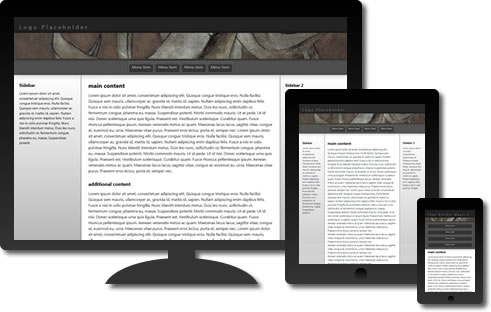
Select one of 16 responsive, mobile-ready CSS layouts—then watch as your page is instantly created.
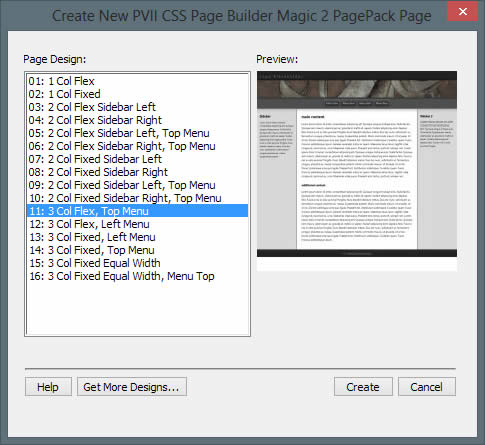
The Page Builder interface
Select a page design, click Create, and your page is automatically created.
New in Page Builder Magic 2
- Mobile-Ready: Create one Web site that works perfectly on desktop, laptop, and mobile devices
- Responsive: Your page responds and adapts to the width of any device and any browser
- Logical source code ordering: Enhances usability and search engine optimization
- CSS 3 effects: Shadows, rounded corners, and pure CSS animated menus
Additional Features
- Automatic Page-Creation interface
- Choose from 16 layouts
- Equal height columns without background images
- Search-engine friendly
- Standards-based and accessible
- Stable cross-browser compatibility
- Compatible with PVII widgets and menu systems
- PDF user guide
- Free technical support
For Page Builder Magic 1 users...
When you install the upgrade version of Page Builder Magic 2, your existing installation of Page Builder Magic 1 will not be affected—nor will existing sites you've built with Page Builder 1.
CSS Page Builder Magic 2 works on Windows and Mac systems running Dreamweaver MX, MX2004, 8, CS3, CS4, CS5, CS5.5, CS6, CC, CC 2014, CC 2015, CC 2016, CC 2017, CC 2018, CC 2019, CC 2020, CC 2021 (and higher). For installation tips, please see Using PVII Extensions in Dreamweaver CC...
Progressive enhancement
PVII CSS Page Builder Magic 2 employs the concept of progressive enhancement. We start with well-formed code that displays all content in all devices. Then we use CSS for effects such as rounded corners, shadows, and animations. The effects are deployed in ways that enhance modern browsers while assuring an attractive and accessible presentation in older ones. IE9, Firefox, Opera, Safari, Chrome, and even your iPhone display rounded corners and drop shadows. IE10, and modern versions of Firefox, Chrome, and Safari display animations.